Remember the good old 1980's,
When things were so uncomplicated?..
ELO, "Time", 1981
|
|
Remember the good old 1980's,
|
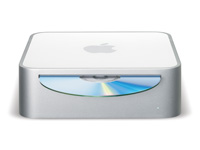
I will stick to the very essentials - Mac mini is terrific! Read about it everywhere.
Just like in any other Mac with 744x CPU, the speed is controlled by the jumpers. Here is the bottom of the board. Or whatever you call it. Many years ago there were component side and solder side. Now I don't know... But before you rush into it, take a look at the size of the jumpers. Read 7447's datasheet if you are interested. Jumpers are located in the area directly under CPU.
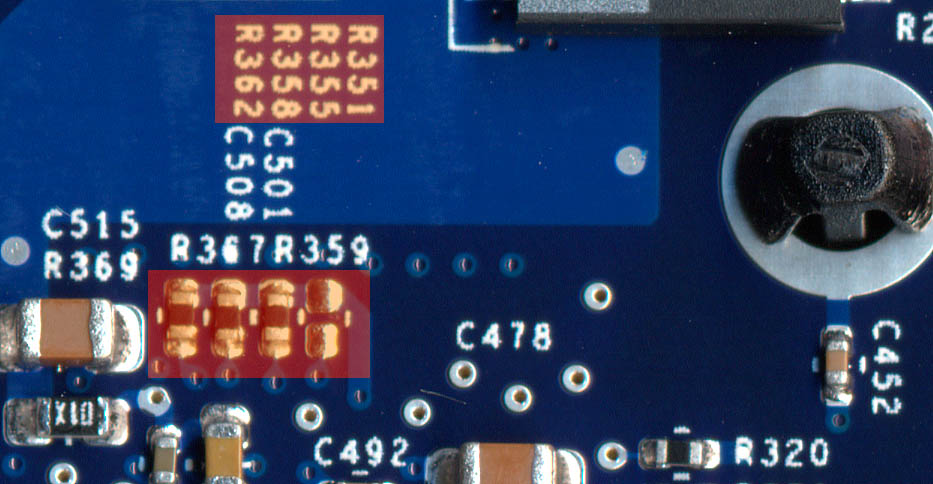
| Speed | R362 | R358 | R355 | R351 |
| 1.25GHz | yes | yes | yes | - |
| 1.42GHz | - | yes | - | yes |
| 1.50GHz | - | - | - | - |
| 1.58GHz | - | yes | - | - |
I have settled on 1.42GHz speed for my original 1.25GHz Mac mini. 1.5GHz settings gave me some glitches in Xbench Altivec routines and very weird behaviour at 1.58GHz - the speed was reported by the system profiler as 750MHz(?!) I would guess 1.42GHz mini owners may be able to get 1.5GHz if they bother to try. Mind you it is only 6% increase so I am not sure if it is worth it. Well, at least I have 1.42GHz now and it works fine.
Enjoy!