
39 lines
2.2 KiB
Markdown
39 lines
2.2 KiB
Markdown
# Pylontech Battery Monitoring via WiFi
|
|
|
|
This project allows you to control and monitor Pylontech US2000B batteries via console port over WiFi.
|
|
It it's a great starting point to integrate battery with your home automation.
|
|
|
|
** I ACCEPT NO RESPONSIBILTY FOR ANY DAMAGE CAUSED, PROCEED AT YOUR OWN RISK **
|
|
|
|
Features:
|
|
- Low cost (around 20$ in total).
|
|
- Adds WiFi capability to your Pylontech US2000B battery.
|
|
- Device exposes web interface that allows to:
|
|
* send console commands and read response over WiFi (no PC needed)
|
|
* battery information can be retrevied also in JSON format for easy parsing
|
|
- Easy to modify code using Arduino IDE and flash new firmware over WiFi (no need to disconnect from the battery).
|
|
|
|
See the project in action on [Youtube](https://youtu.be/7VyQjKU3MsU):
|
|
[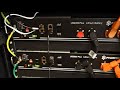](https://www.youtube.com/watch?v=7VyQjKU3MsU)
|
|
|
|
Parts needed:
|
|
- [Wemos D1 mini microcontroller](https://www.amazon.co.uk/Makerfire-NodeMcu-Development-ESP8266-Compatible/dp/B071S8MWTY/).
|
|
- [SparkFun MAX3232 Transceiver](https://www.sparkfun.com/products/11189).
|
|
- Cable with RJ10 connector (some RJ10 cables have only two wires, make sure to buy one that has all four wires present).
|
|
- Capacitors C1: 10uF, C2: 0.1uF (this is not strictly required, but recommended as Wemos D1 can have large current spikes).
|
|
|
|

|
|
|
|
How to get going:
|
|
- Get Wemos D1 mini
|
|
- Install arduino IDE and ESP8266 libraries as [described here](https://averagemaker.com/2018/03/wemos-d1-mini-setup.html)
|
|
- Open [PylontechMonitoring.ino](PylontechMonitoring.ino) in arduino IDE
|
|
- Specify your WiFi login and password at the top of the file (line 13-14)
|
|
- Upload project to your device
|
|
- Connect Wemos D1 mini to the MAX3232 transreceiver
|
|
- Connect transreceiver to RJ10 as descibed in the schematics (all three lines need to be connected)
|
|
- Connect RJ10 to the serial port of the Pylontech US2000 battery. If you have multiple batteries - connect to the master one.
|
|
- Connect Wemos D1 to the power via USB
|
|
- Find what IP address was assigned to your Wemos by your router and open it in the web-browser
|
|
- You should be able now to connunicate with the battery via WiFi
|